Self-hosted · open architecture · .NET 9

Your own TAK server, with a browser client built in.

FT-TAK is the Frost Technologies Team Awareness Kit — a modern, self-hosted TAK server and a full browser-based TAK client in a single deploy. Stream ATAK, iTAK and WinTAK over the real TAK wire protocol, run your own certificate authority, and operate the whole fleet from a web map. No app required to command.

Wire-compatibleATAKiTAKWinTAKTAKAwareTAKXCloudTAKPyTAK
https://tak.yourdomain.net
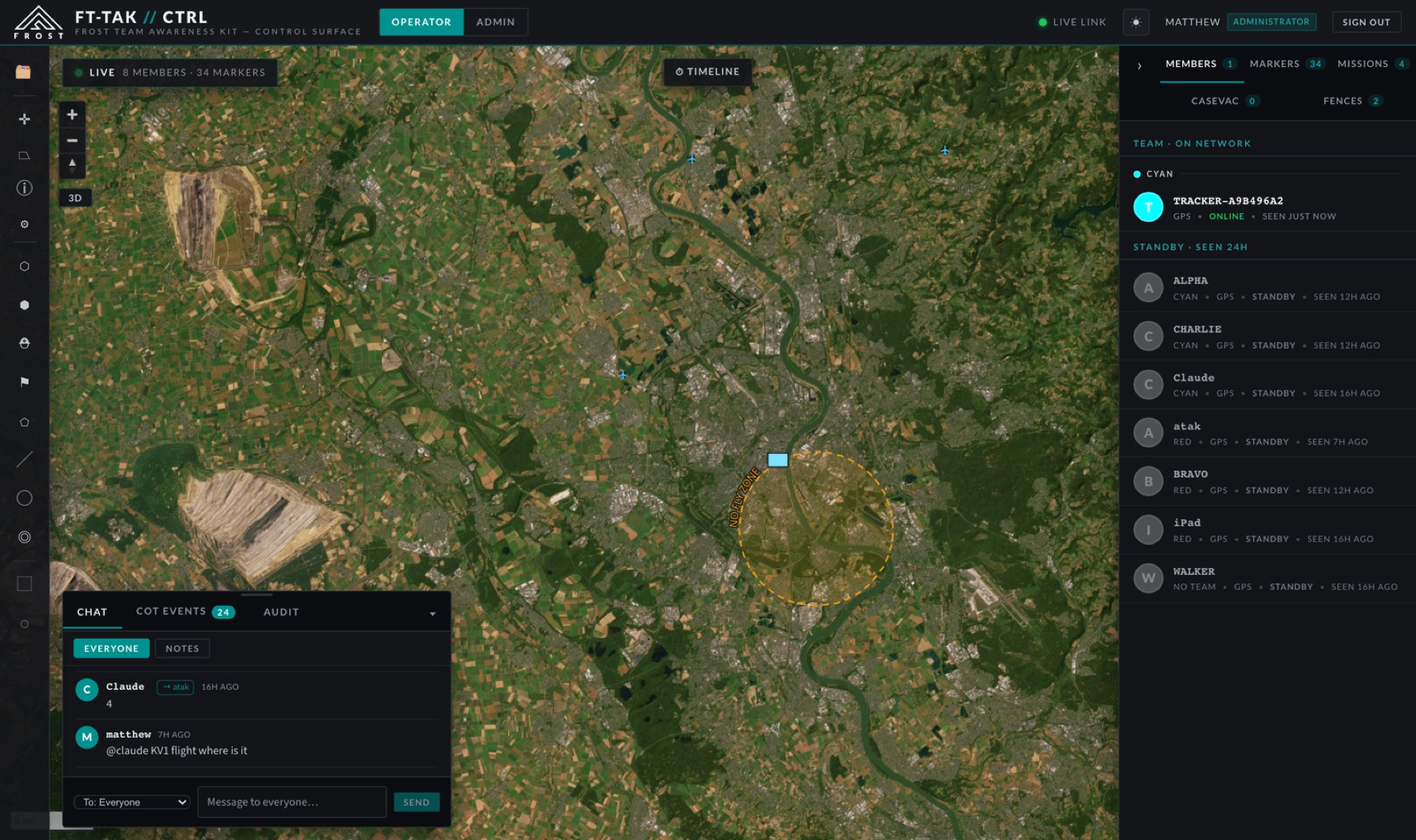
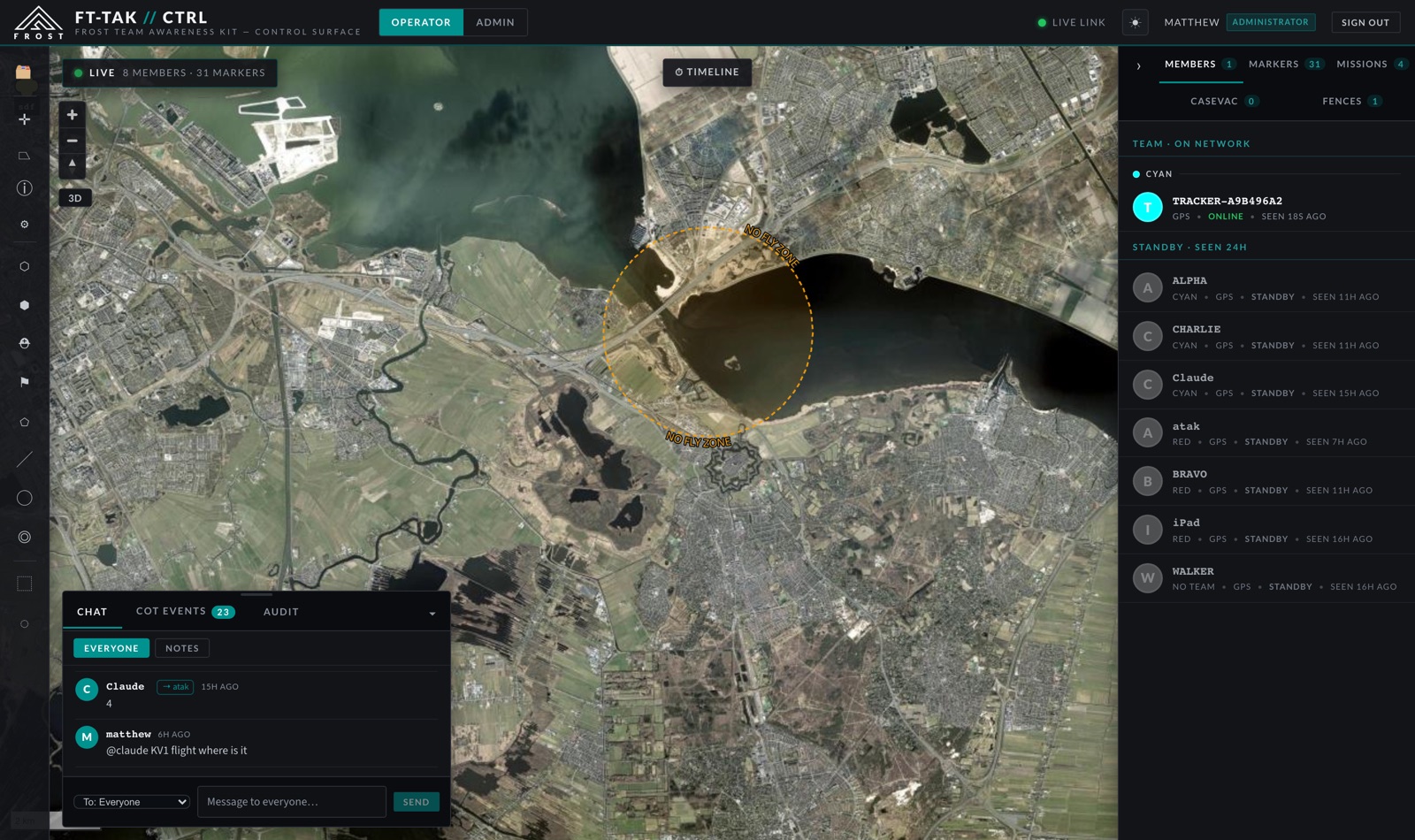
FT-TAK operator map showing live air tracks, a no-fly-zone geofence, markers, the member roster and GeoChat

What we build by

Always-openOpen source and self-hostable — your data, your infrastructure, no lock-in.
Well designedConsidered UX from the wire protocol to the browser — not a prototype in a trench coat.
TransparentOpen code, documented behaviour, and honest status — no black boxes.
Open to inputIssues, pull requests and ideas are welcome — the roadmap is a conversation.
2×
TLS listeners — plaintext & mTLS CoT
29
admin console pages
9+
built-in plugins
1
docker compose up

How it fits together

One server. Every client. Your infrastructure.

TAK devices stream over the native wire protocol; the same ingestion path feeds the web client, plugins and storage — all on hardware you control.

ATAKAndroid · mTLS :8089 iTAKiOS · plaintext :8087 WinTAKWindows · cert enroll FT-TAK CQRS · SignalR Browser clientMapLibre · live map PluginsADS-B · AIS · Claude StorageSQLite / Postgres

Capabilities

Everything a TAK server needs — none of the lock-in.

A complete TAK core on a clean .NET 9 architecture, paired with a web client so your operators work from a browser instead of yet another install.

Full TAK wire protocol

XML CoT framing, keep-alives, and TAK Protocol v1 protobuf negotiation in one shared connection core — over plaintext (:8087) and mTLS (:8089) listeners.

Browser TAK client

A MapLibre operator map with live affiliation-coloured tracks, a GPU track layer that stays smooth under thousands of ADS-B/AIS contacts, draw tools, chat and roster.

Certificate enrollment

Your own CA mints and revokes client certs. ATAK/iTAK/WinTAK auto-enroll via signClient/v2 with Basic or QR one-time tokens, plus a CA-signed CRL.

Channels & RBAC

TAK in/out groups with per-user and per-group assignment. Device channel selection is honoured, and <dest>-addressed direct messages route straight to the recipient.

Missions & Data Sync

Create missions, subscribe devices, and sync hash-addressed content with a full change journal — map items and file attachments materialise on the client.

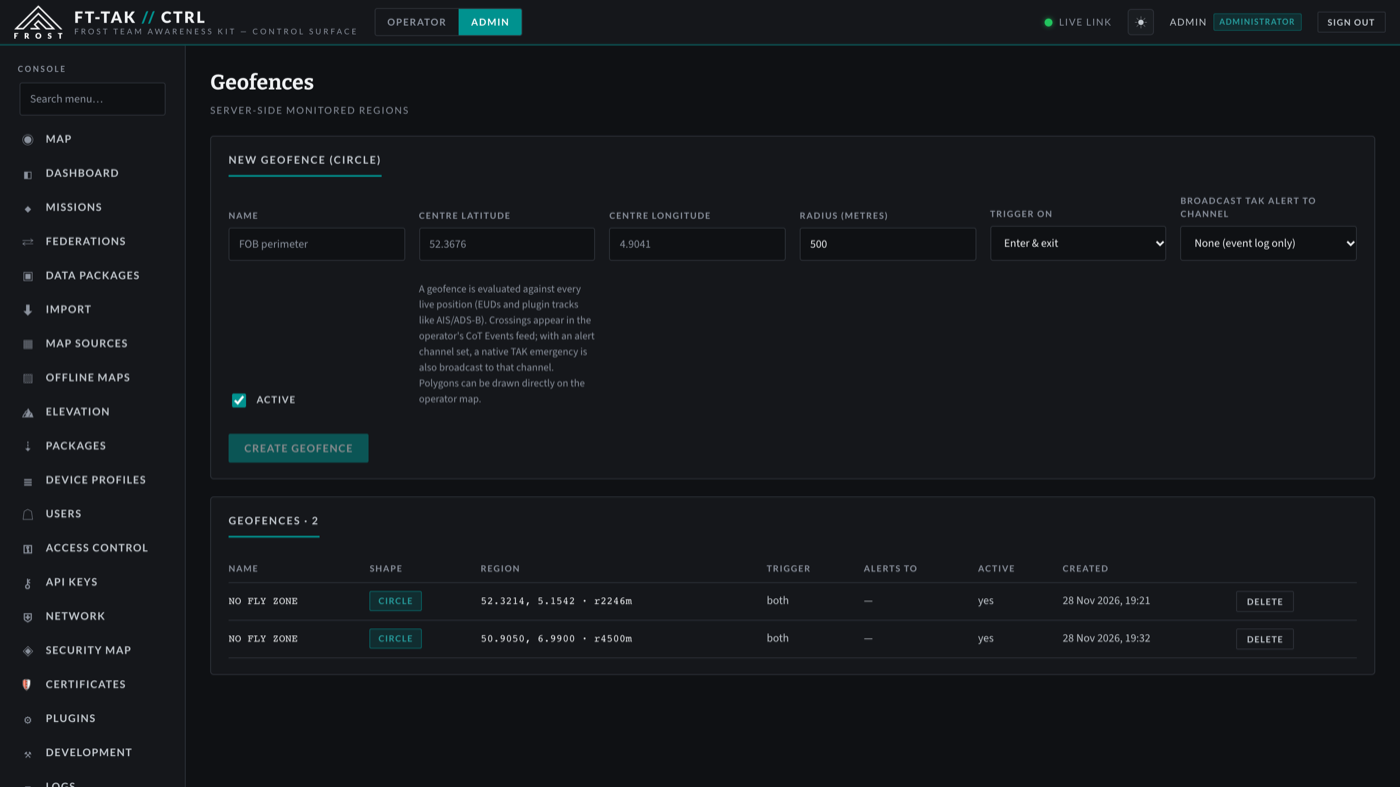
Geofencing

Server-side circle and polygon regions evaluated against every live position — enter/exit events in the feed, with optional native TAK emergency broadcast to a channel.

Plugin system

An in-process SDK with .zip upload (sha256 + zip-slip guarded), per-plugin settings schema, scheduled jobs and CoT ingest filters. Ships nine built-ins.

Maps & terrain

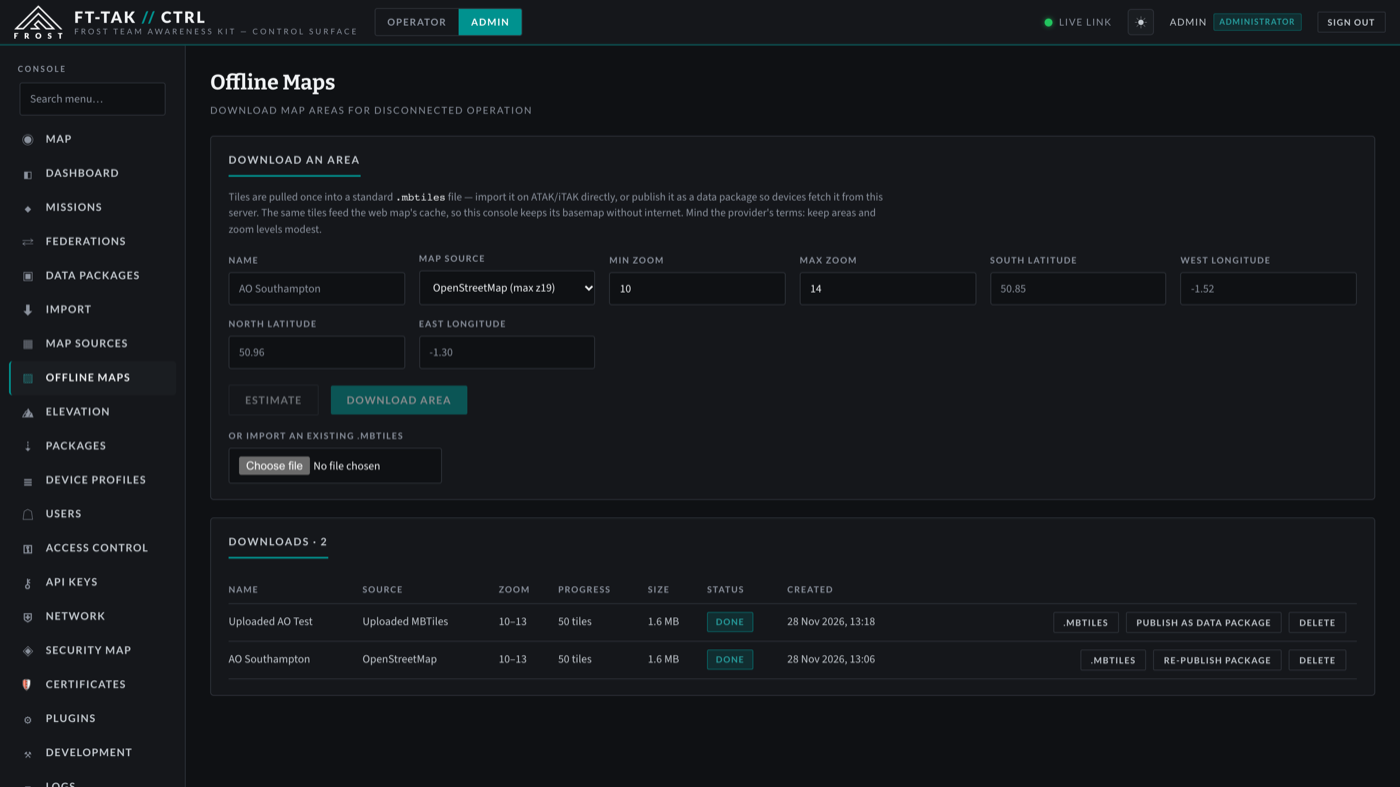
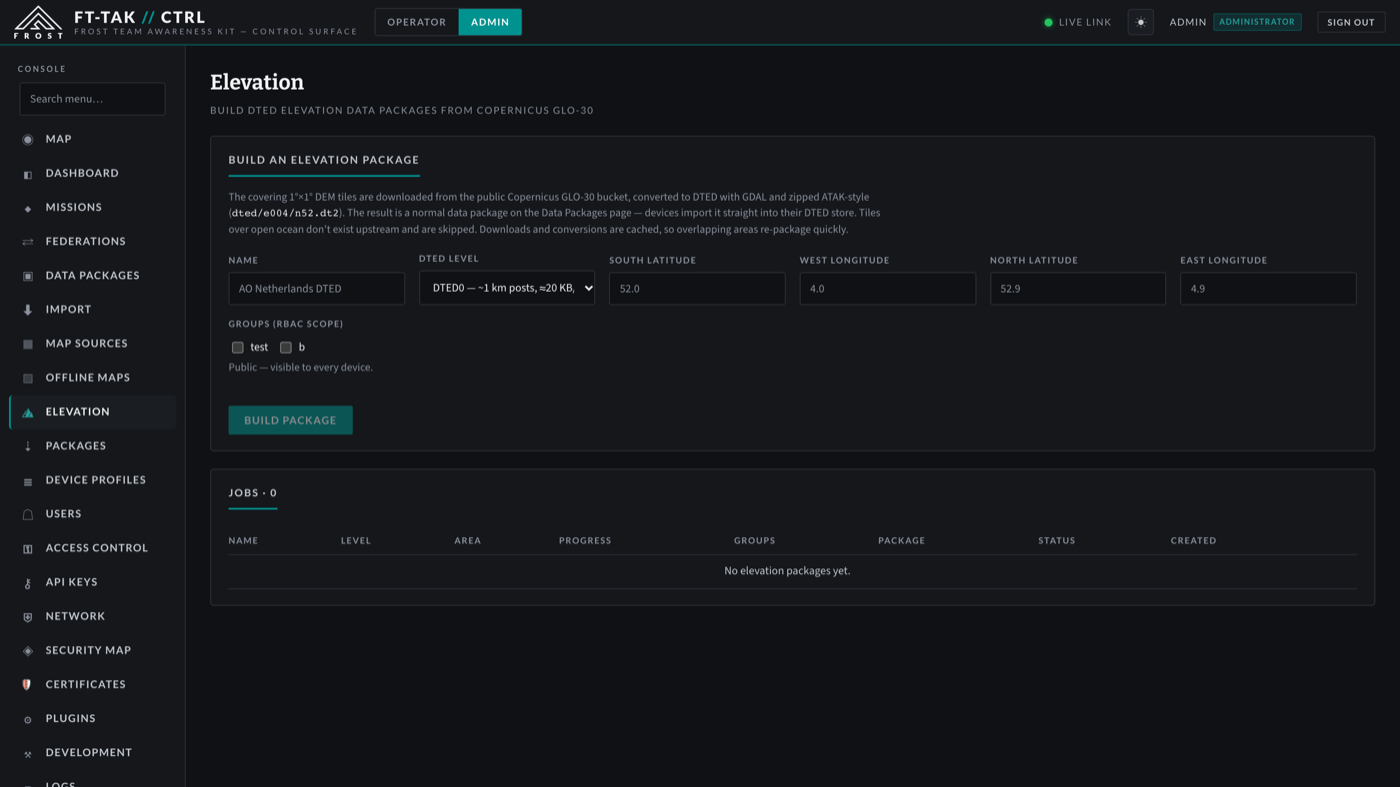
ATAK map-source import (WMS/WMTS/XML), a server-side tile-cache proxy, offline MBTiles area downloads, and DTED elevation packages built from Copernicus GLO-30.

Self-hosted & owned

Clean Architecture (Domain → Application → Infrastructure → Api) on .NET 9, EF Core on SQLite or Postgres, realtime SignalR, one Docker Compose away.
Browser TAK client

Command the fleet from a web map.

The operator view is a real TAK client — not a read-only dashboard. Place markers, draw geofences and CasEvac 9-lines, chat, and watch the picture update live over SignalR.

Live situational awareness

Affiliation-coloured EUD and CoT markers, a live member roster with fly-to, GeoChat with shared notes, and satellite / street / dark basemaps with 3D tilt and timeline playback.

  • GPU track layer handles thousand-contact ADS-B & AIS feeds without jank
  • Click-to-place markers by affiliation, draw tools, right-click mission management
  • Graceful WebGL fallback — no white-screen when a device can't render
  • Mobile shell: chat + admin on a phone, no heavy map
FT-TAK operator map with live tracks, draw tools and the comms panel

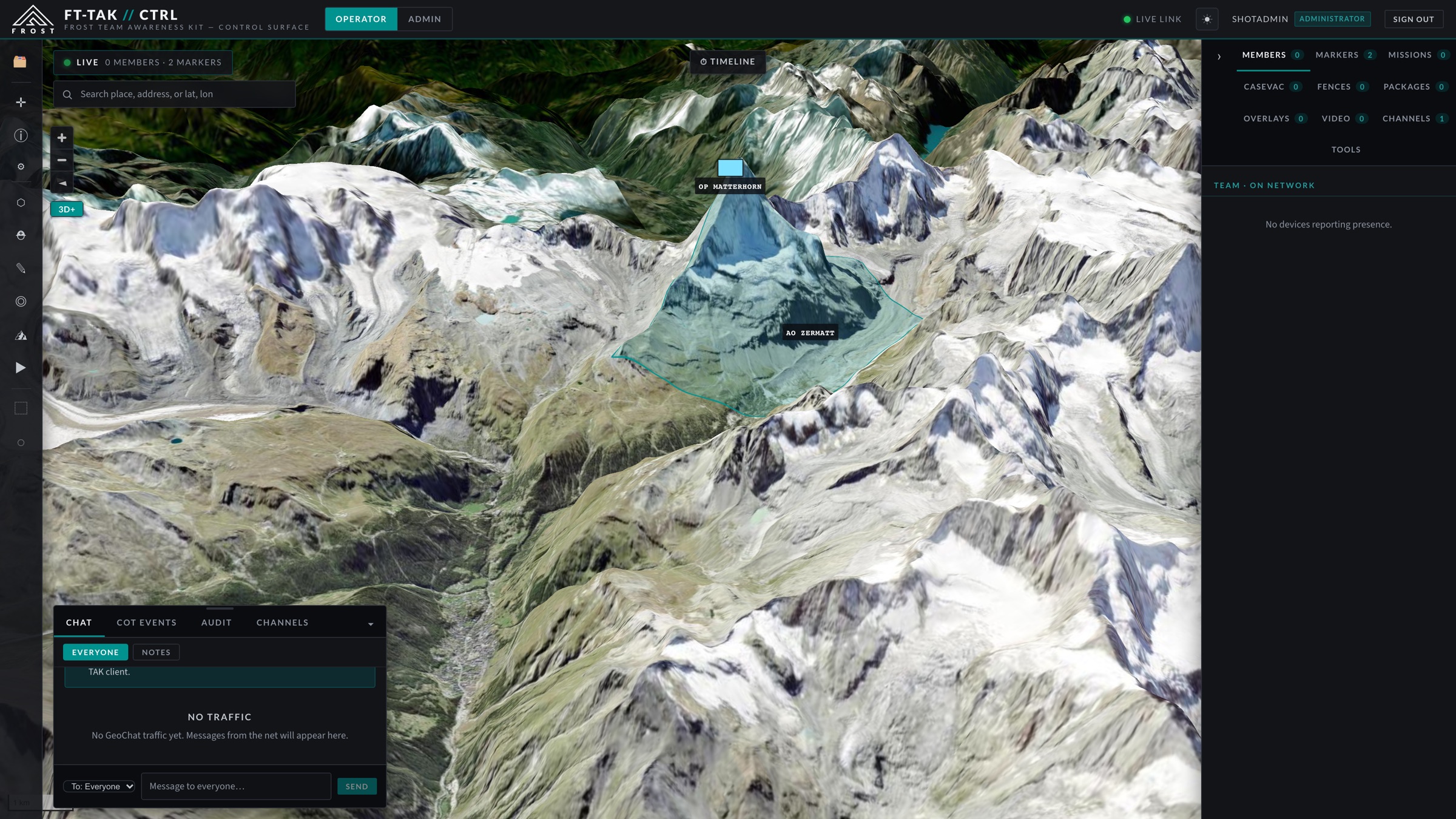
Real 3D terrain

The map goes vertical.

One click tilts the operator map into true 3D — global elevation relief draped with satellite imagery, streamed through the server's own tile cache. Everything on the board stays exactly where it belongs on the terrain: here, the Matterhorn above Zermatt, with an OP marked on the summit and an area of operations draped across the glacier below.

FT-TAK operator map in 3D over Zermatt, Switzerland — the Matterhorn with an OP marker on the summit and an area of operations draped over the terrain

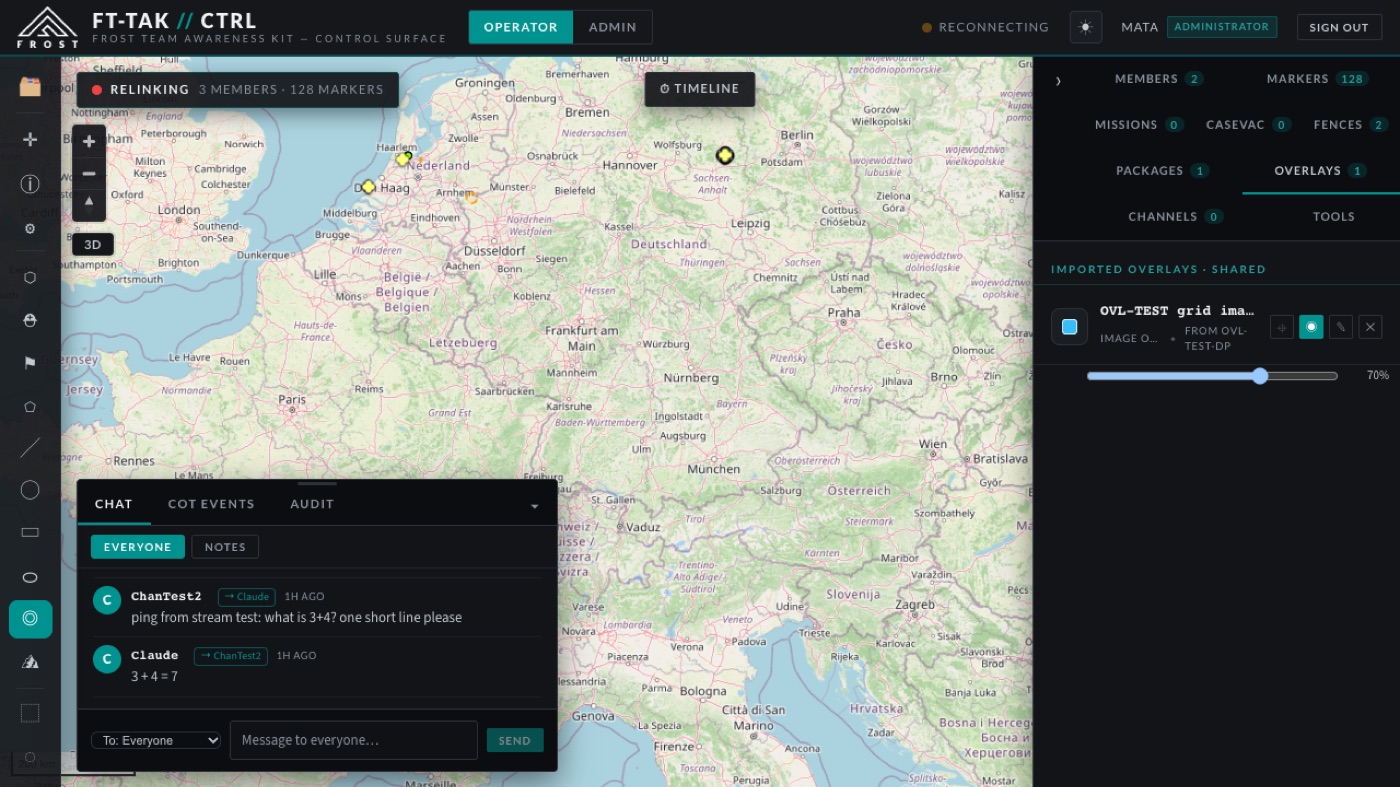
Layers, overlays & map sources

Bring ATAK-compatible imagery to the browser: import the same WMS/WMTS and XML map sources your devices use, stack overlays, and cache tiles server-side for offline-friendly operation.

  • ATAK customMapSource import & export
  • Server-side tile-cache proxy for basemaps and overlays
  • Offline MBTiles area downloads, publishable as data packages
  • DTED terrain packages from Copernicus GLO-30
FT-TAK operator map overlays and layers panel

Rewind the operation.

The operator map records the common picture as it happens — so you can scrub every track and marker back through time. Debrief a sortie, reconstruct an incident, or answer “what happened while I was away?” without leaving the map.

  • Scrub and play controls on the operator map — drag to any moment, then let it run
  • Replays full track histories, even at ADS-B / AIS contact density
  • Markers and chat are part of the record — they land back on the map where and when they happened
Simulated replay

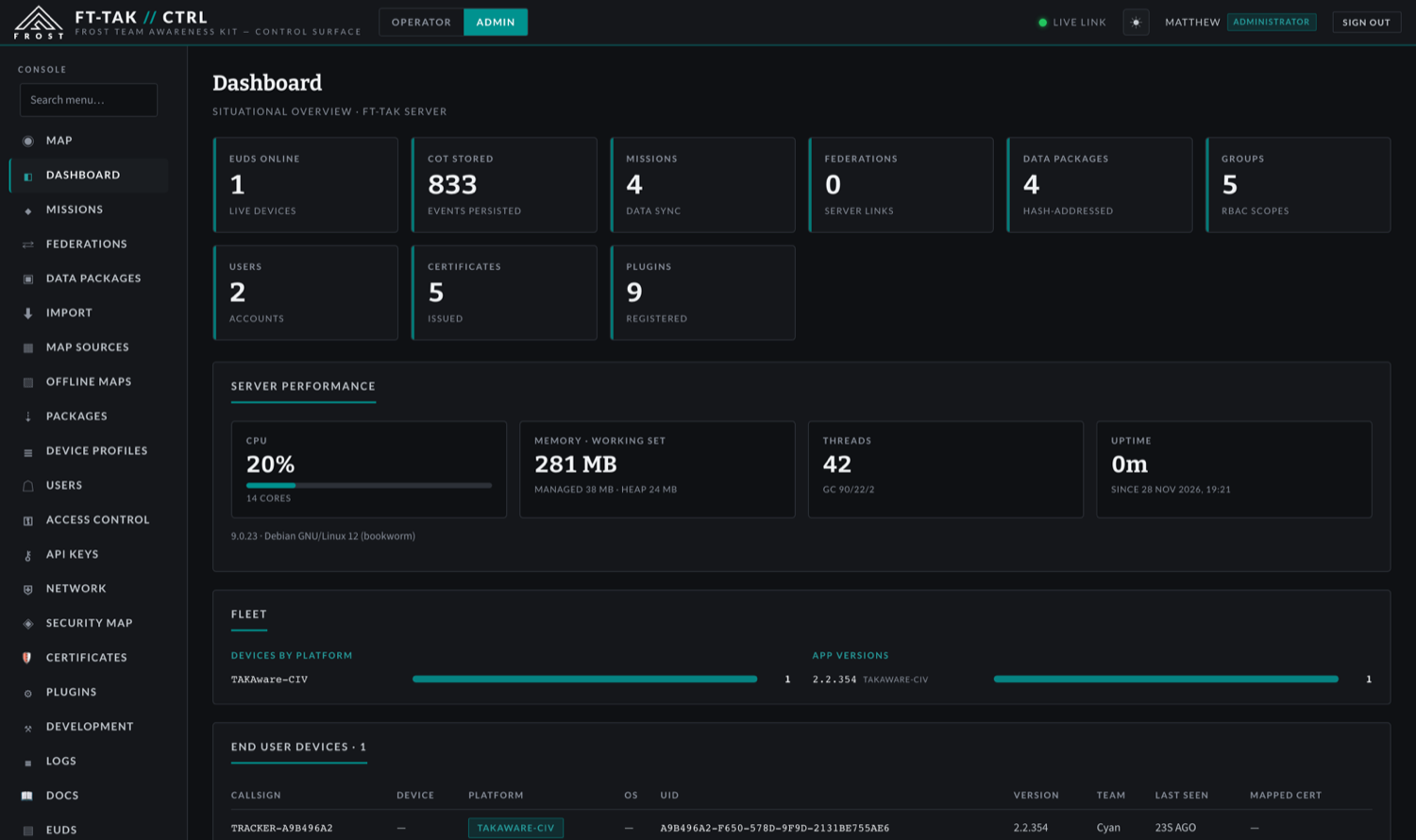
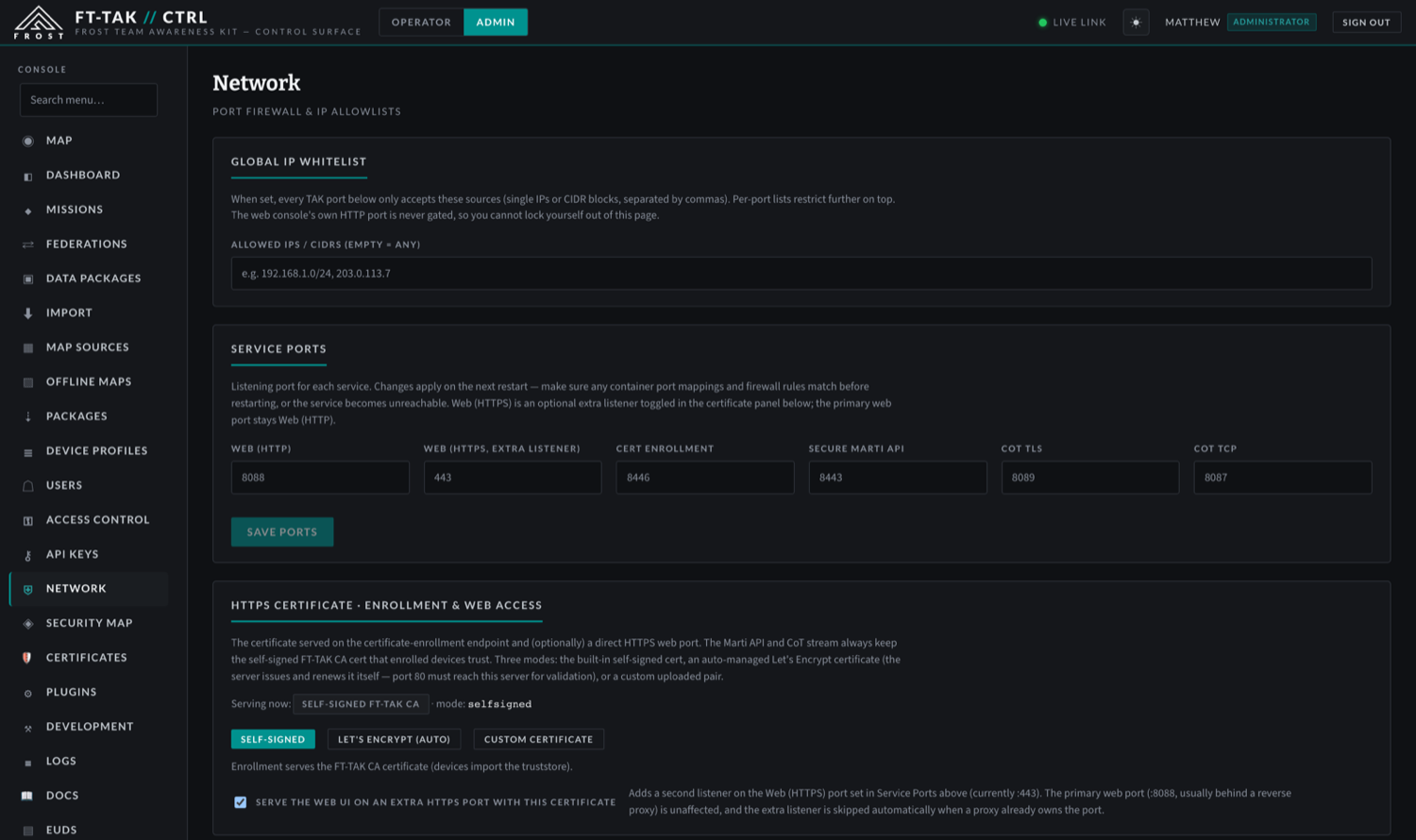
Admin console

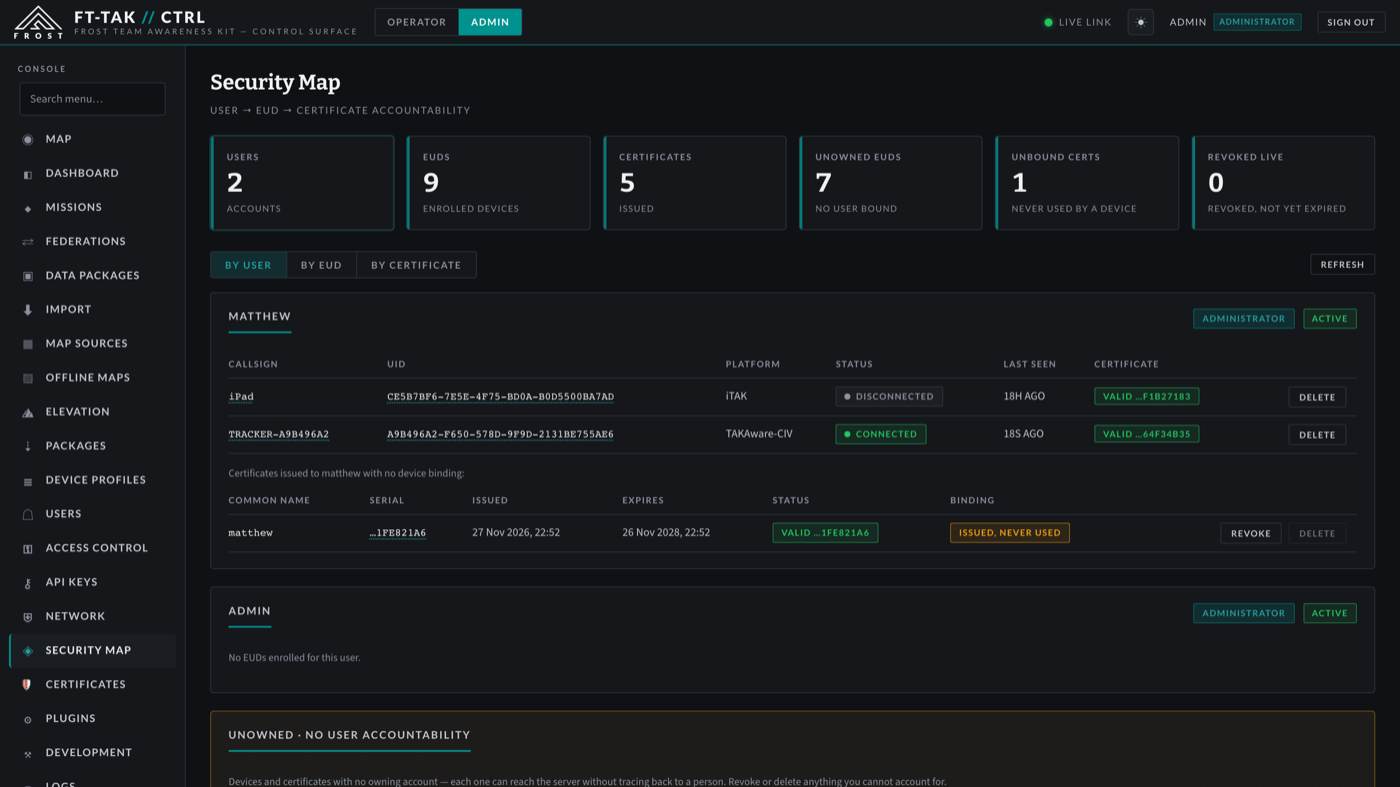
A 29-page control surface — every feature documented.

Operations, security and configuration in one role-gated console: dashboard, users & certificates, RBAC, network & port firewall, schedules, logs, API keys and Swagger — each with a screenshotted guide.

Browse the admin console guide →

Extensible

Plugins that ship in the box.

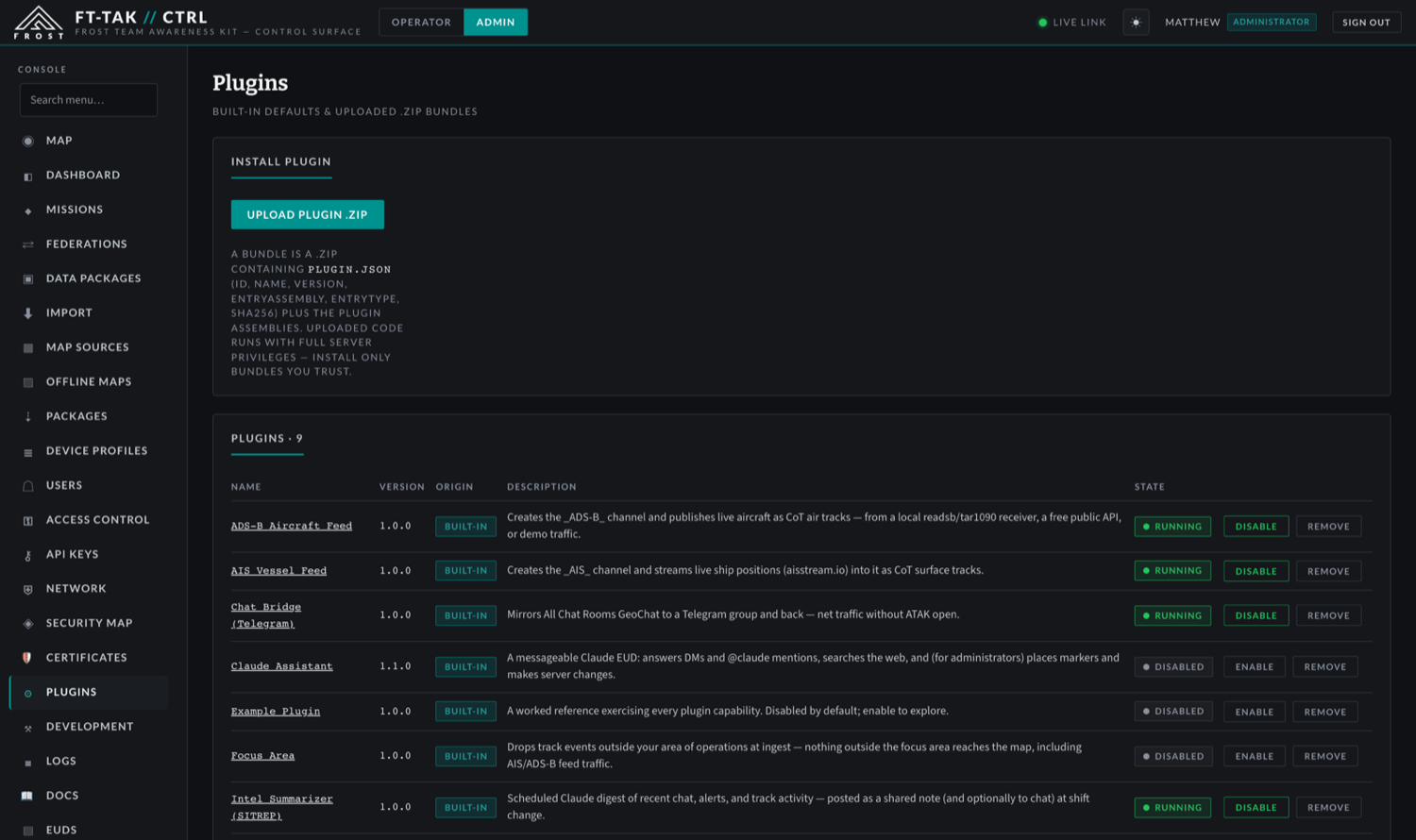
Drop a .zip to add capabilities, or enable one of the built-ins. Plugins register endpoints, scheduled jobs, settings schemas and CoT ingest filters through a typed SDK.

ADS-B Aircraft

Live aircraft from a local receiver or public API, on its own channel.

AIS Vessels

Marine traffic from aisstream.io as scoped CoT tracks.

Claude Assistant

DM @claude from ATAK — map actions, search, SITREPs.

Watchlist

Appear / stale / recovery alerts on uids, callsigns and prefixes.

Notification Bridge

Emergencies & chat to ntfy, Telegram or a JSON webhook.

Chat Bridge

Two-way mirror between All Chat Rooms and a Telegram group.

Focus Area

Geographic ingest gate — drop track traffic outside your AO.

Intel SITREP

Scheduled AI digest of chat, alerts and track volume as a note.

Plugins admin page

Architecture

Built like a product, not a prototype.

Domain-Driven Design with CQRS, four clean layers, and ports for every external dependency — so the same ingestion path runs identically whether CoT arrives over TCP, mTLS, or an HTTP inject.

  • .NET 9 minimal APIs, EF Core on SQLite (zero-dep) or Postgres
  • In-process CQRS broker with realtime SignalR fan-out (/hub/cot)
  • Hosted services for TCP / mTLS listeners, jobs and retention sweeps
  • xUnit coverage across domain, protocol and API surfaces
DomainPure domain — CoT, presence, access, missions
ApplicationCQRS handlers, ports, options
InfrastructureEF Core, in-proc broker, clock
ApiMinimal-API host, listeners, SignalR hub

Get started

Running in one command.

The compose stack brings up the API and Postgres; the schema is created on first boot. Point any TAK client at the listener and stream.

bash — FT-TAK quickstart
# clone and bring up the stack (API + Postgres)
git clone https://github.com/mattronix/FT-TAK.git && cd FT-TAK
docker compose up --build -d

# verify the server is live
curl localhost:5080/api/health
#  {"status":"ok","provider":"postgres","tcpPort":8087,...}

# point a real TAK client at the stream
#  tcp://<host>:8087   plaintext CoT
#  the web client is served at  http://<host>:8088

Prefer zero dependencies? Run dotnet run --project src/FrostTak.Api against SQLite — no database to stand up.

Zero to a device on the map in five steps.

  1. Bring the stack updocker compose up starts the API, database and web client.
  2. Create a userAdd the account in the admin console and pick its role.
  3. Show the QR tokenIssue a one-time enrollment token as a scannable QR.
  4. Device auto-enrollsATAK scans it and enrolls via signClient/v2 — your CA signs the cert, the device trusts your truststore.
  5. On the mapThe device connects over mTLS and appears live on the web map.

Stand up your own TAK network.

FT-TAK is open and self-hostable. Clone it, read the docs, and have ATAK devices enrolling against your own CA this afternoon.